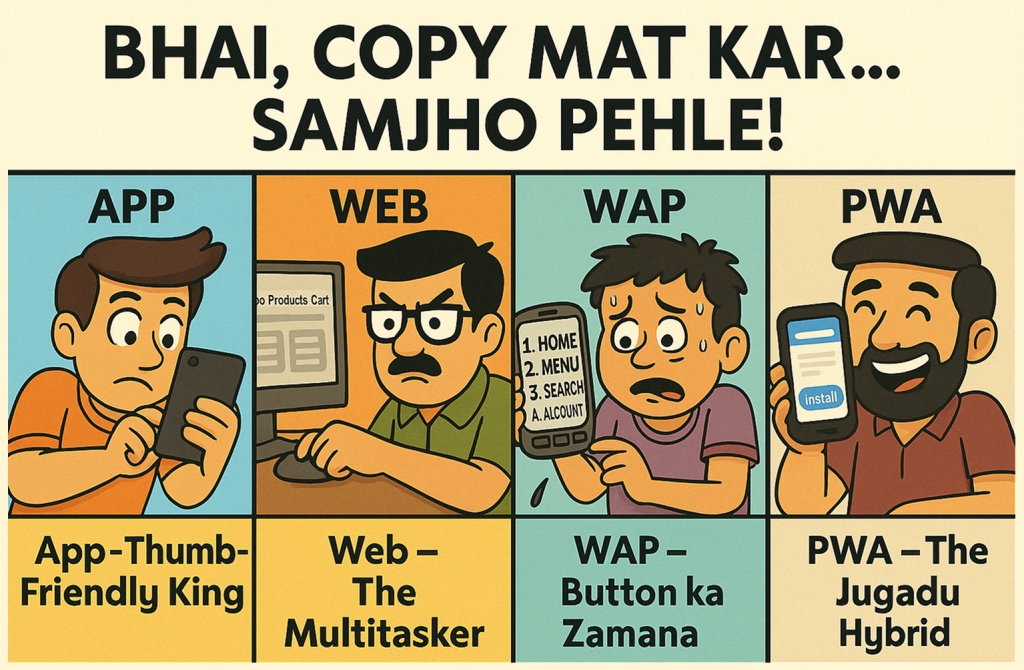
📣 “Just copy Android and iOS design pattern for Web, WAP, or PWA na… kya hi farak padta hai?”
💥 Web designer & developer: “Prabhu, yeh log kahaan se aate hain?!” Let’s break this down, Bollywood style 🍿 – with chai, chaat, and chamatkar!
🎭 “Same Feature, Alag Design – Kyun?“
“Because har platform ka bhi self-respect hota hai, bhai!” 😎 Product meetings be like:
“Arey bhai, Android mein jaisa hai, waise hi Web, WAP aur PWA mein daal do!”
At that moment, designers either:
- Mentally collapse 😵
- Open LinkedIn 😑
- “Bas ab toh Bhagwan hi bachaye!“ 🙏
AMP bechara bhi apni life jee raha hai, kyuk zyada log use jaante hi nahi – Agar jaante hote, toh shayad koi bolta:
“AMP ko bhi chhod mat bhai!” 🤣
I know… WAP aur PWA ka farak bhi bahut logon ko properly pata nahi hota – But that’s a different episode of this serial. 😅
“Ab mazaak bandh, chalo PNPC karte hain!” 😎
Let’s fix that. We’ll explain UX with dahi-chini logic, so even a fresher at 2 AM remembers it forever. 😄
🥤 Smoothie Analogy – Feature Same, Blender Alag
Want to make a banana smoothie (🍌)?
✅ Mixer Grinder (App) – Smooth & quick
🆗 Hand Blender (Web) – Still works, little messy
😬 Whisk & Elbow Grease (WAP) – Possible… but exhausting
⚡ PWA (Jugadu Hybrid) – Tries to be app, but runs on gas stove in microwave mode 😅
Conclusion:
“Smoothie banegi re baba – but kaise banegi depends on your tool a.k.a platform!” 😄
🧠 Features vs Platform UX (Flow + Follow)
✅ Feature = Recipe (What)
E.g., ✅ View product ✅ Add to cart ✅ Pay
🚦 Flow = Steps (Order)
E.g., Click → Confirm → Checkout
🎭 Follow = UX Behavior (How It Feels)
E.g., Buttons, layout, gestures, content hierarchy
Note: 🔁 Same goal. Different journey
Like: “Sita aur Gita – Dekhne mein to same, lekin ek hai shaant aur doosri chulbuli!“
🎯 UX Design: Let’s break the same feature (Navigation) across platforms
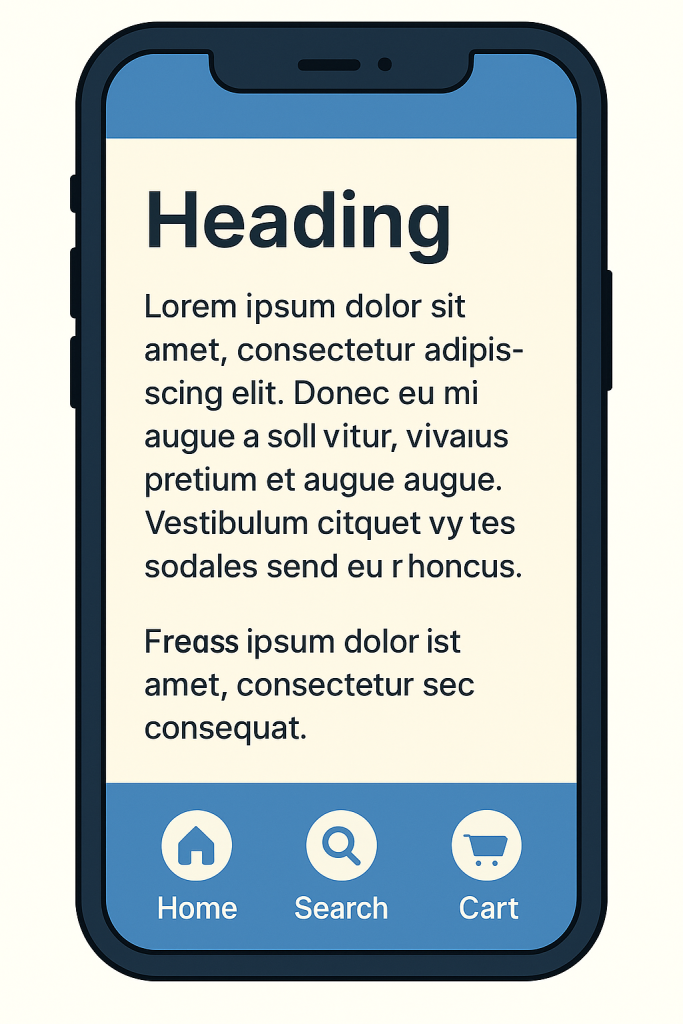
📱 App (Android/iOS) – Thumb-Friendly King
+————————-+
App (Android/iOS) – Thumb-Friendly King
| Content Area |
+————————-+
| [Home] [Search] [Cart] |
+————————-+
🧠 Why?
- One – hand use
- Touch gestures (swipe, tap)
- Bottom nav = thumb zone
- more …
Design for fingers, not mouse clicks!
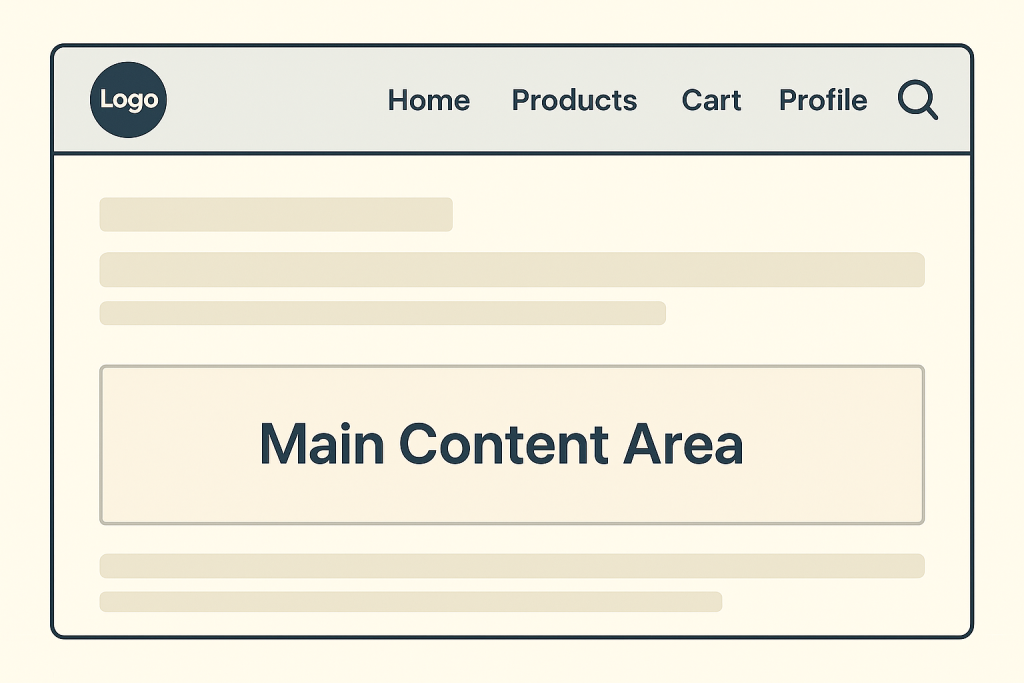
💻 Web (Desktop) – Multitasker Maharaja
+————————————————+
Web (Desktop) – The Multitasker
| Logo | Home | Products | Cart | Profile | 🔍 |
+————————————————+
| Main Content Area |
+————————————————+
🧠 Why?
- Mouse + keyboard combo
- Horizontal space zyada
- Users browse multiple tabs, hover, compare
- more …
Zyada jagah hai, toh zyada dikhaiye – but smartly!
📴 WAP (Basic Mobile Web) – The OG Survivor
+———–+
WAP (Basic Mobile Web) – The OG Survivor
| [Service] |
+———–+
| Home |
| Search |
| Cart |
| Login |
+———–+
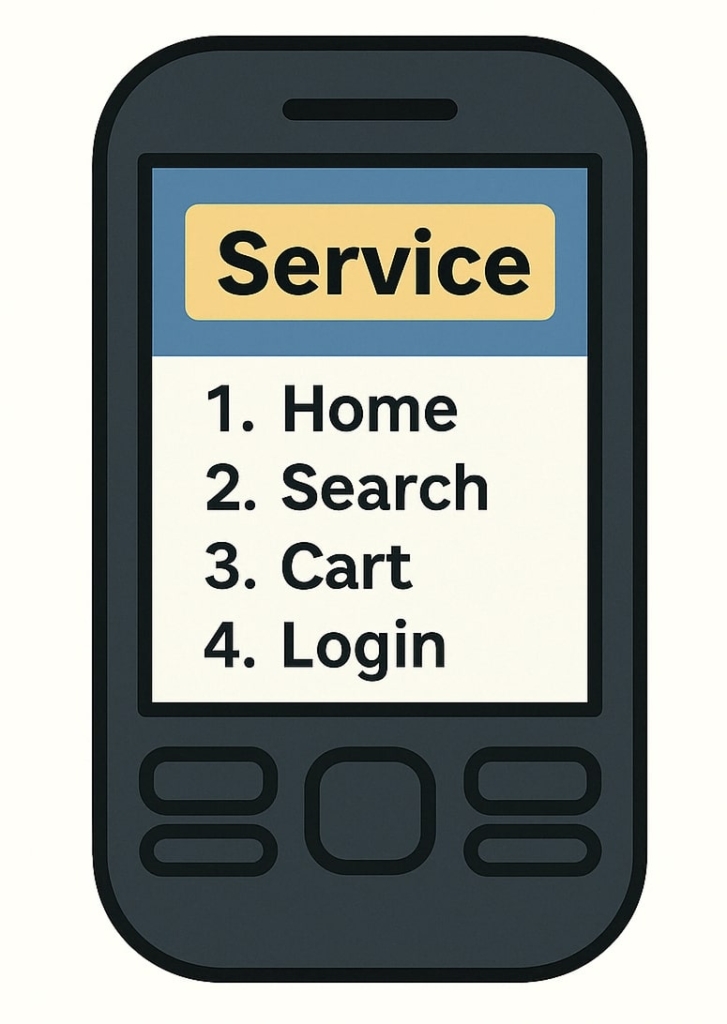
🧠 Why?
- Minimal UI, text-only navigation
- Works on ultra-basic phones
- No gestures, no fancy layouts
- Used in ultra-basic phones or slow 2G zones – yes, some people still use them!
- more …
Design like it’s 2005, solve for 2025!
What “Design like it’s 2005, solve for 2025!” actually means:
Even if you’re designing for older devices, networks, or constraints – your thinking, your problem-solving, and your user empathy should be modern.
“Design like it’s 2005”
→ Keep the design lightweight, simple, fast, and text-first, like old WAP-style interfaces.
“Solve for 2025”
→ Build it with a modern mindset:
- Understand today’s users.
- Prioritize accessibility, speed, and clarity.
- Make it user-first, not just screen – first.
Even if the user has – A basic feature phone, Low internet speed, Limited screen real estate:
You don’t say: “Arre, ismein kuch nahi ho sakta.”
You say: “I’ll still deliver the best UX possible – even in constraints.”
It’s like saying: “Khaane mein daal – chawal hai, lekin pyar se bana hai, master chef-level serve kiya gaya hai.” 😄
🌐 PWA (Progressive Web App) – The Jugadu Hybrid
+————————–+
PWA (Progressive Web App) – The Jugadu Hybrid
| Logo [Cart Icon] |
+————————–+
| Image Slider + Content |
| Add to Cart Button |
| Tabs: Description, etc |
+————————–+
| [Home] [Search] [Account]|
+————————–+
🧠 Why?
- App-like UX, web-like foundation
- Can install on home screen, work offline (sometimes)
- Can feel like a native app, but it’s still a web app running inside a browser shell
- Its capabilities and performance fully depend on the browser being used.
- more …
“App jaisa lagta hai, but web browser ki permission ke bina kuch nahi karta”

Real-world Breakdown:
| ❗ Native App | ✅ PWA |
| Runs directly on device | Runs inside the browser |
| Full hardware access | Limited hardware access |
| OS-level features work | Only if browser supports it |
| Reliable performance | Can lag/crash in weak browsers |
Example:
On Chrome on Android, a PWA may support ✅ Looks just like an app.
- Push notifications
- Offline mode
- Install to home screen
But on Safari on iPhone, that same PWA might ❌ Not-so-native behavior.
- Not send push notifications
- Struggle with offline mode
- Not support full-screen properly
“It tries to act like an app… but whether it actually behaves like one depends on how good the browser is and what features it supports“
🧥 Winter Jacket in Summer = Copy-Paste UX
“Just because something worked in one season, doesn’t mean it fits all!“
Bottom nav copied to Web – 😑 Awkward
Hover menus on mobile – 🤦♂️ Useless
PWA with native-style gestures on cheap phones – 💣 Full UX disaster!
🧠 Interaction Design Cheat Sheet
| Platform | Main Interaction | Design Focus |
|---|---|---|
| App | Touch (Tap, Swipe) | Thumb zones, minimal steps |
| Web | Mouse + Keyboard | Hover, multitask, broad layout |
| WAP | Keypad / D-Pad | Linear navigation, low data use |
| PWA | Touch + Click | App feel + Web flexibility |
“Bhai, pura blog padhne ka time nahi hai… ekdum short mein batao na!”
✅ Feature sab mein daal sakte ho
❌ Flow & UX design blindly copy nahi karna
🎯 Har platform ki soch alag, screen alag, use – case alag
💡 UX = Platform + Behavior + Emotion
“Tag a PM who still says,”Copy Android ka UI on Web also” – Aisa PM UX designer ka badla lene ka moka deta hai 😎
🎁 Coming Up in Part 2:
The Masala UX Gatha continues with:
- 📄 Form UX (WAP vs App?)
- 🧾 Checkout Flows
- 📦 Product Detail Design
- 🔄 Feedback and Input
All explained with fun analogies, wireframes & full desi swag – Bole too “UX toh platform ke hisaab se design karna chahiye, re baba!“